




Understanding how companies are structured is essential to understanding how sectors actually work. Behind what looks like a single business, there can be layers of subsidiaries, brands and parent organisations shaping activity, employment and revenue.
In the V6 update, we’re making that complexity easier to navigate. We’ve improved how group structures are presented in the Industry Engine, helping you focus on the companies that matter and get a clearer, more accurate view of any sector.
What is the problem?
Long-time users of our data will know that group structure has always been a challenge. Behind what looks like a single business, there can be layers of subsidiaries, brands and parent organisations shaping activity, employment and revenue. And there’s no consistent way in which this happens.
We’re making this complexity easier to navigate. We’ve improved how group structures are presented in the Industry Engine, helping you focus on the companies that matter and get a clearer, more accurate view of any sector.
How we’re making it easier to understand group structure
Each company page now features a group structure tab. The example for Tesco Holdings Limited is shown in the image below.
At the top of the page the ultimate parent company is highlighted. It’s also flagged whether they file consolidated accounts. Consolidated accounts present a clear picture of a group’s activities as they incorporate the company’s own activity with that of its subsidiaries.
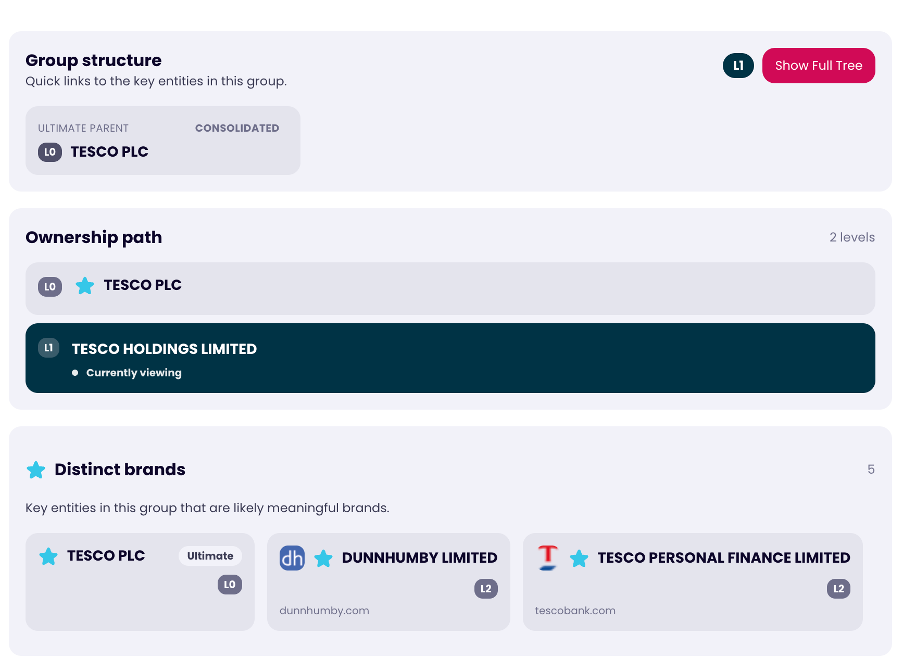
We then highlight the distinct brands from across the group. A group can contain many different brands. In the case of Tesco, this includes the overarching Tesco PLC brand, but also Dunhumby – Tesco’s analytics subsidiary – and Tesco Finance.
The group structure tree is a helpful way of understanding the layout of the group. Groups can be large, and distinct brands are also presented on the group structure tree. In the case of Tesco PLC, there are 145 entities across 10 levels of group structure.
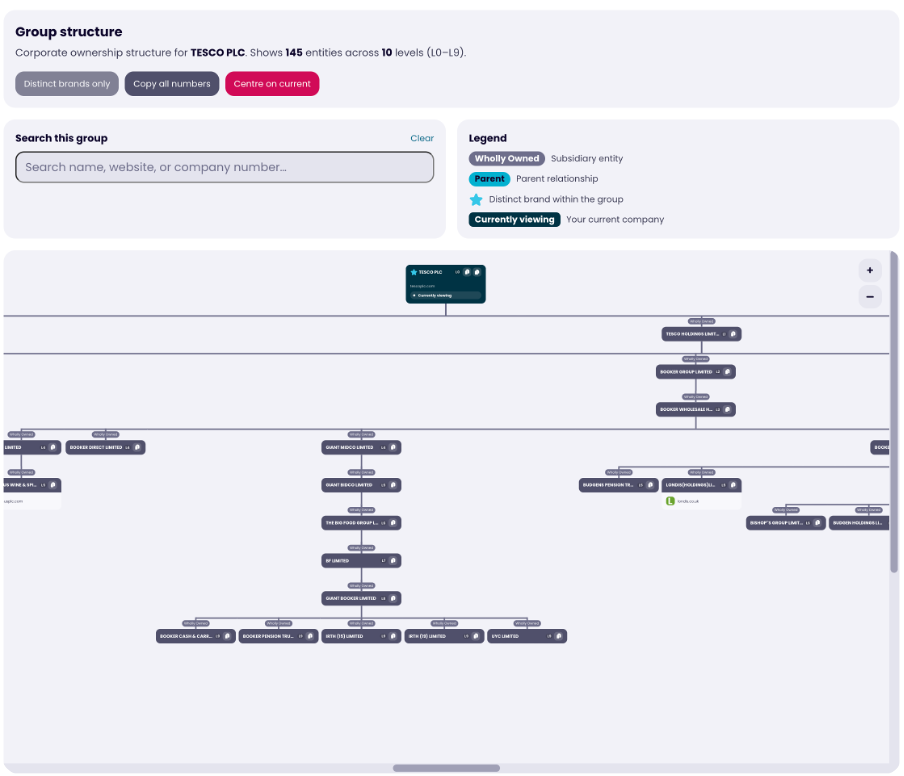
“Distinct brands” has been created to help you quickly find the meaningful companies within a group. For reliability, companies that file dormant accounts, or appear inactive, cannot be considered distinct brands.
By selecting “Distinct brands only” in the top left of the screenshot, we’ll display just the companies that we think are important. If the group has many distinct brands, then we’ll display as many as we can.
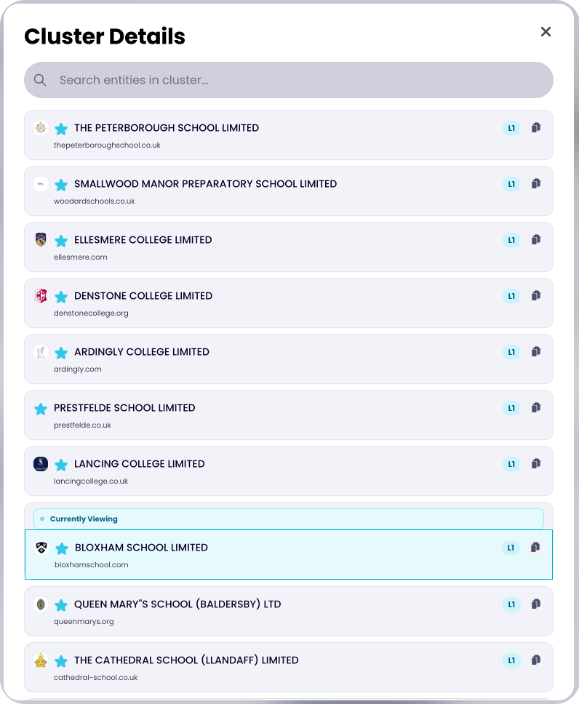
In the case of groups that have many distinct brands, we may not be able to present all of them at the same time on the tree. In this case, check the cluster information. An example of this is shown below.
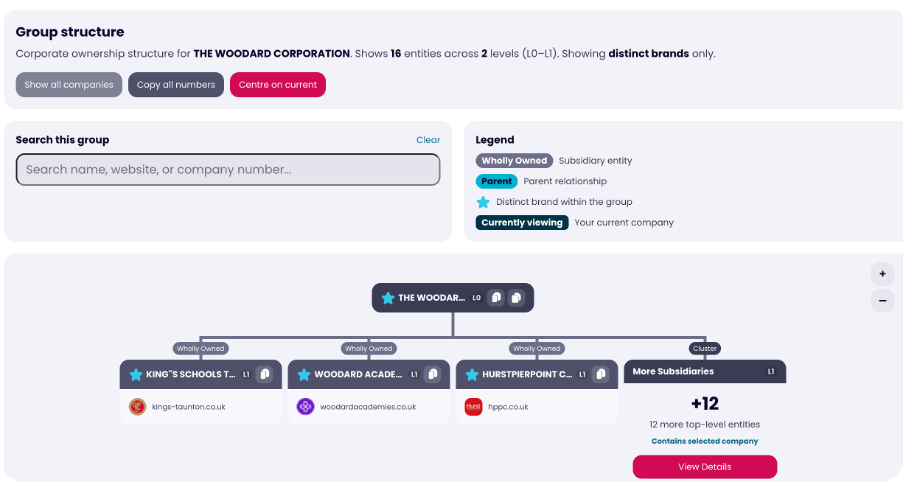
The Woodford corporation has 12 distinct brands in the group. By clicking on “View Details”, you can see the full list of distinct brands.
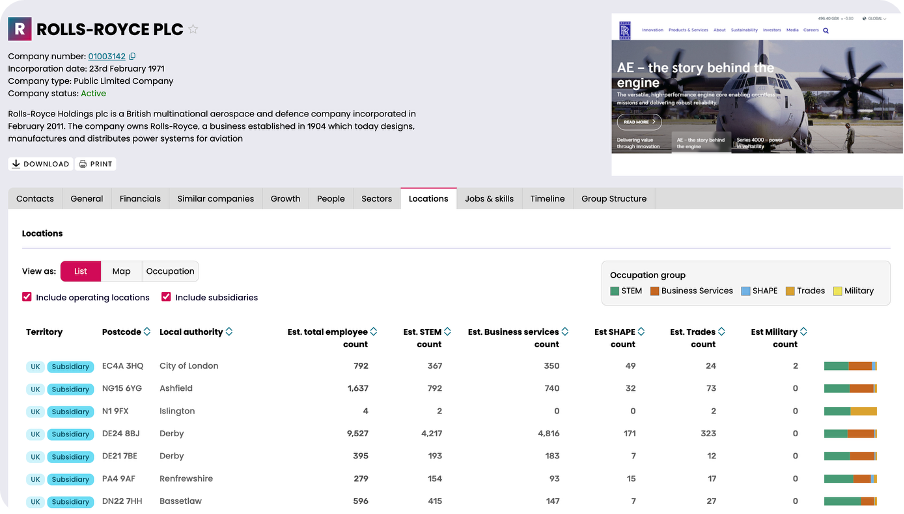
As well as the introduction of the group structure tab on a company page, we’ve also made changes to location information. The chart below shows a list of all of Rolls-Royce’s locations. Where a subsidiary also operates at the location, we also flag the location with this information. This helps prevent double counting of locations and improves our estimates of employees in each region.
Changes in Analyse
To better answer the question of ‘how many companies are there in a sector or list?’, we’ve brought distinct brands to analyse.

The screenshot above shows the analysis summary for the Net Zero RTIC. We’re saying there are 23,600 unique brands across the list. The 28,500 figure refers to the number of registered companies there are in total, as a brand can have multiple registered companies underneath it, as was shown with the earlier Tesco example. By using the number of distinct brands, we hope to better capture how many unique companies there are that are active in the sector.
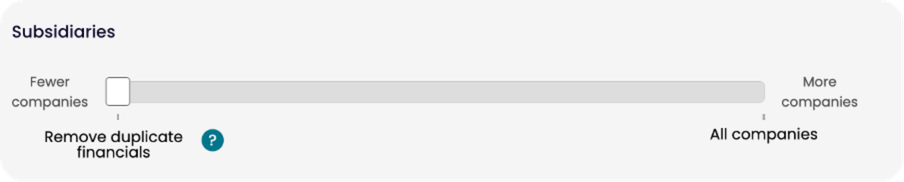
Compared to previous versions of the Industry Engine, you may notice that the overall count of businesses, number of employees and/or the amount of turnover has changed. This is because we are removing duplicate financials by default on analyse. This is the same functionality that you had before with the “remove subsidiary companies” toggle option, with some small improvements to how it functions.
The other option is to include all companies on analyse. You may want to do this if you want to analyse how many companies are women led or founded.
Explore
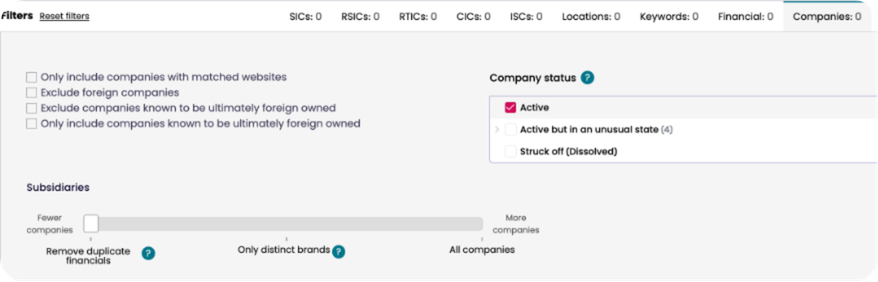
On Explore, it’s a similar picture, with new filtering options available. In addition to the previously mentioned options, there’s a third option of only showing distinct brands. This may be helpful if you want to understand the companies that are in the list and want the list to feel less crowded. Effectively, we’re transitioning away from registered entities to unique companies.
If you are downloading data to analyse off the platform and want to analyse the total number of employees or turnover (or another aggregation of the financials), we recommend selecting the “remove duplicate financials” option. This setting ensures your results remain consistent with our platform analytics by preventing double counting.
What’s next
Data
Up to this point, the data that we’ve used is based on a company’s filings. A group of companies will typically list the subsidiaries that form the group within their financial accounts.
However, this isn’t always the case. As an example, A Shade Greener is a company that is split into multiple different groups. The two examples below are companies that have the same registered postcode, similar websites and similar names. Functionally, these are the same company, but they are not part of the same group structure based on their filings.
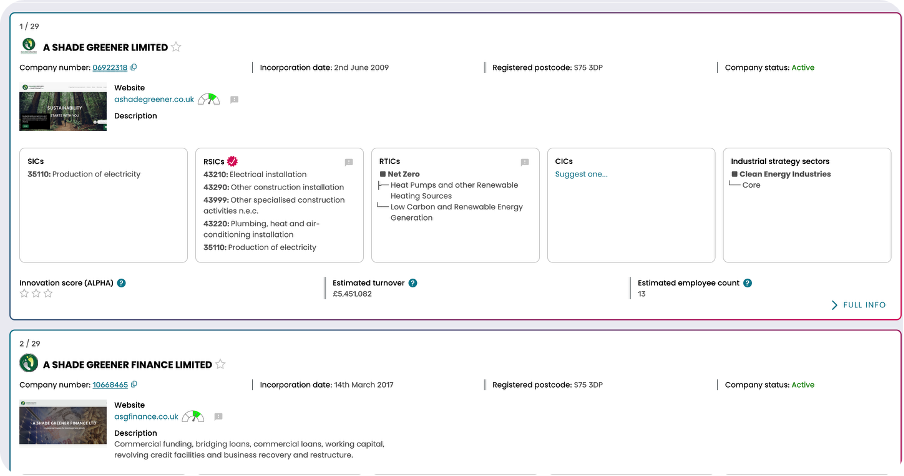
We’ve completed work to identify more examples like this, and we’re in the process of adding this data to the product. Our goal is to clarify the “true” number of independent businesses within a sector or list.
User Interface
We’re in the process of doing a wider revamp of our user interface (UI), and this will allow us to better present group structure information. Amongst a broader refresh across the product, we’ve thought about how to present new group structure information. One of our focusses has been on the grouping of companies in the UI, so that subsidiaries appear nested within their parents.
Bringing clarity to complexity
Group structures don’t need to be a barrier to understanding sectors. With this update, we’re making it easier to see what’s really going on beneath the surface.
By focusing on distinct brands, removing duplicate financials, and improving how group data is presented, you get a clearer, more accurate view of the economy.
This is another step towards our mission: building the new standard for industrial classification. Because when you can see companies clearly, you can understand sectors properly. And when you understand sectors, you make better decisions.
Interesting in getting hands on with our data? You can sign up for a free trial, or contact us if you have any questions.